Building a sunset-aware TV remote on an M5StickC Plus
/ 4 min read
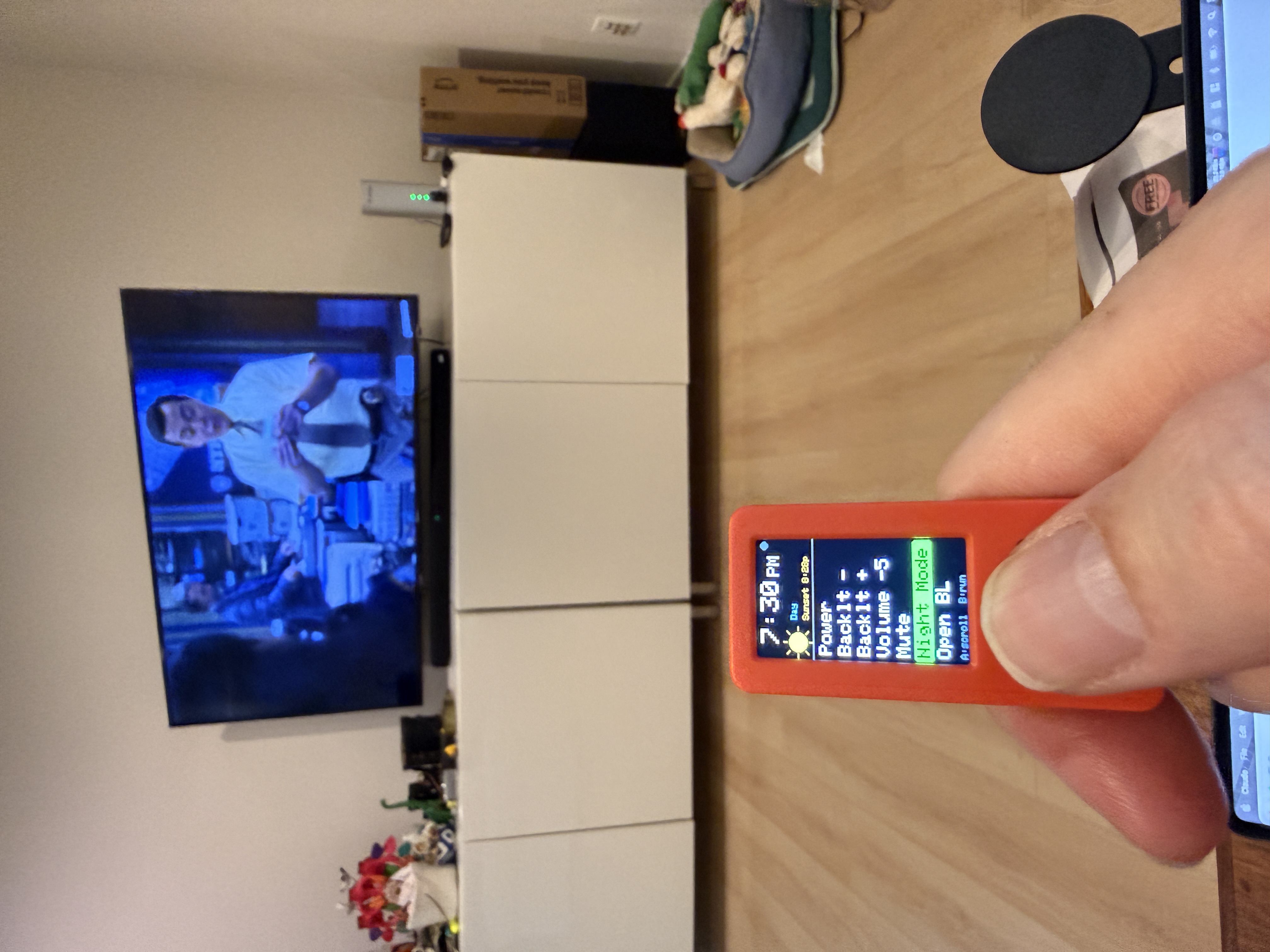
My TV is too bright at night. Not the volume, not the input — the backlight. And there’s no button for it. On a modern Samsung you change it by diving four levels into the on-screen menu, which means no universal remote and no smart-home integration can touch it. So I built a tiny device that walks the menu for me, and does it automatically at sunset.
It runs on an M5StickC Plus — a thumb-sized ESP32 with a color screen, two buttons, an IMU, and, crucially, a built-in IR LED on the top edge. About $20 and no wiring.
There’s no code for “backlight”
IR remotes send a code per button. Power, volume, the arrow keys — each is a known 32-bit Samsung value. But “set backlight to 4” isn’t a button, so there’s no code to send. The only way in is to navigate: open the menu, arrow over to the picture settings, drill into the slider, and nudge it.
So the core idea is a macro — an ordered list of key-presses and pauses:
Menu → (wait) → Right → Down ×3 → Right → Right // land on the Backlight sliderLeft ×N // dim itExitI made macros pure data, so tuning the navigation never means touching logic — just editing a list. The fiddly part is the waits: send the next key too fast and the TV is still animating the previous screen and drops it. A few hundred milliseconds between steps fixed that.
One nice trick: the “Night Mode” macro is deterministic. Instead of “dim by 3 from wherever it is,” it mashes the slider down to zero, then steps it back up to a known level. So it lands on exactly the same brightness every time, no matter where the slider started — which matters a lot for an unattended trigger.
Sunset, computed on-device
The whole point was “at sunset, without me.” I didn’t want it phoning a weather API every day. Turns out you don’t have to: sunrise and sunset are pure astronomy. Given your latitude, longitude, and the date, the NOAA sunrise equation gives you the answer offline.
The device syncs the clock over WiFi exactly once at boot (NTP), then the radio goes dark. From there it computes today’s sunset locally and fires the macro 15 minutes before.
I had one sign bug in the longitude term — the math was perfect at Greenwich and wrong everywhere else, off by exactly twice the longitude. Caught it by running the function natively against published sunset tables for a few cities before it ever touched the hardware. Austin, Sydney, New York all matched to the minute after the fix.
A little face for it
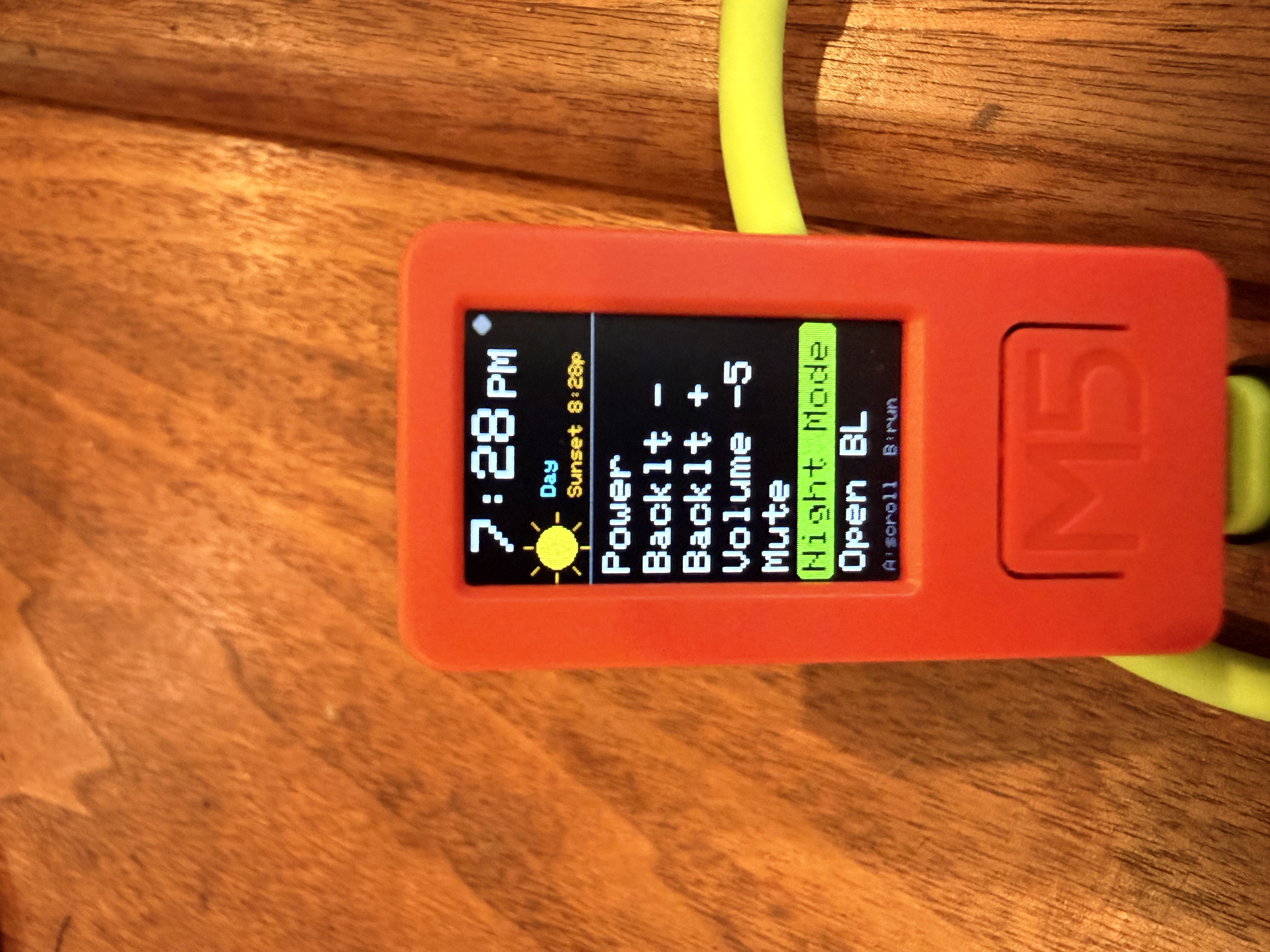
Since it has a screen, it should look like it knows what time it is. There’s a 12-hour clock, today’s sunset time, and a day-phase icon — sun, moon, or a half-sun-over-horizon for dawn and dusk. The TFT font has no emoji, so the icons are drawn with primitives: a filled circle with rays for the sun, an offset cutout for the crescent moon.
Making it last on battery
A device that sits idle all day waiting for one event shouldn’t burn its battery doing nothing. The first version did exactly that — spinning the CPU at full speed just to poll the buttons, ~40 mA forever.
The fix was light sleep. After a minute idle, the screen dims and the CPU sleeps, waking every few seconds only to check whether it’s sunset yet. That drops idle draw to a couple of milliamps — hours of runtime become days.
The fun part is the wake sources. The buttons wake it, of course. But the IMU also has a wake-on-motion mode, so picking the device up lights it up — no button needed. It costs almost nothing because the accelerometer is already powered; the wake is just an interrupt line. Light sleep (not deep sleep) keeps the clock and the day’s schedule alive in RAM the whole time.
Takeaways
- If a setting has no IR code, script the menu — and make the script data, not code.
- Make unattended actions deterministic. “Set to X” beats “nudge by X” when nobody’s watching.
- Astronomy is offline. You rarely need a cloud API for sun, moon, or seasonal timing.
- On a battery device, the wake source is cheap; the thing that drains you is never sleeping in the first place.
Built with PlatformIO, the M5StickCPlus library, and IRremoteESP8266. Source and notes available on request.